· Flutter Deep Dives · 4 min read
firebase_messaging APNs Token Race - Fix Flutter iOS getToken Failures
Fix firebase_messaging getToken failures on Flutter iOS by waiting for APNs registration, separating permission from token readiness, and retrying without duplicate device registration.
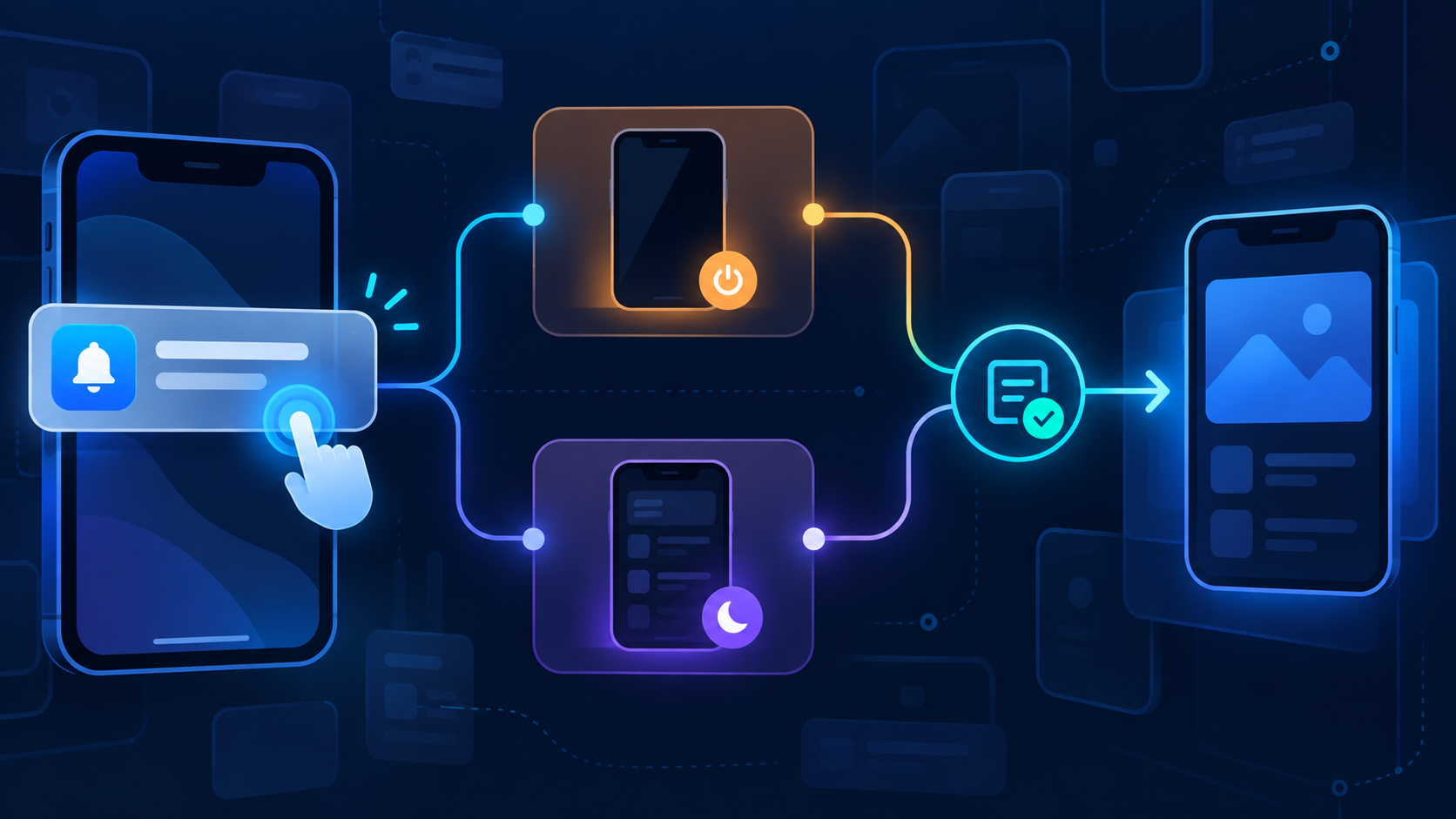
The key detail in this flow is the separate APNs-readiness gate before the FCM token request.
The safe choice for a Flutter app that registers push tokens during startup is to wait for the iOS APNs token before calling getToken(). Permission being granted does not mean APNs registration has completed. Android can keep the direct path, while iOS needs a bounded retry or a later registration trigger. This applies to real iPhones and TestFlight builds; an iOS simulator is not a reliable success signal for push delivery.
The failure is a race, not an invalid FCM token
Firebase’s Flutter setup guide warns that, with iOS SDK 10.4.0 and later, the APNs token must be available before making FCM plugin API requests. requestPermission() only returns the user’s authorization state. The native registration callback can arrive after that future completes.
| State | What it proves | Can call getToken() on iOS? |
|---|---|---|
authorizationStatus == authorized | The user allowed notifications | Not necessarily |
getAPNSToken() == null | APNs registration is not ready yet | No |
getAPNSToken() != null | The app has an APNs device token | Yes, continue to FCM |
getToken() returns a value | The FCM token is available now | Store and sync it |
The common broken sequence is requestPermission() → getToken() with no APNs check. It can work on one launch and fail on a clean install, a new device, or a slow network. The error usually looks like firebase_messaging/apns-token-not-set, which makes it tempting to retry the same call immediately.
Put token readiness behind one idempotent gate
Keep permission, APNs readiness, and server synchronization as separate steps. The gate below never treats a temporary null as a permanent opt-out, and it does not register the same FCM token repeatedly.
import 'dart:io';

import 'package:firebase_messaging/firebase_messaging.dart';

class PushTokenRegistrar {
  PushTokenRegistrar({FirebaseMessaging? messaging})
      : _messaging = messaging ?? FirebaseMessaging.instance;

  final FirebaseMessaging _messaging;
  String? _lastUploadedToken;

  Future<String?> register() async {
    final settings = await _messaging.requestPermission(
      alert: true,
      badge: true,
      sound: true,
    );

    if (settings.authorizationStatus == AuthorizationStatus.denied) {
      return null;
    }

    if (Platform.isIOS || Platform.isMacOS) {
      final apnsToken = await _waitForApnsToken();
      if (apnsToken == null) return null;
    }

    final fcmToken = await _messaging.getToken();
    if (fcmToken == null || fcmToken == _lastUploadedToken) {
      return fcmToken;
    }

    await uploadTokenToServer(fcmToken);
    _lastUploadedToken = fcmToken;
    return fcmToken;
  }

  Future<String?> _waitForApnsToken() async {
    for (var attempt = 0; attempt < 6; attempt++) {
      final token = await _messaging.getAPNSToken();
      if (token != null) return token;
      await Future<void>.delayed(Duration(milliseconds: 250 * (attempt + 1)));
    }
    return null;
  }
}

Future<void> uploadTokenToServer(String token) async {
  // Send an authenticated upsert: (userId, platform, token).
}
The delay is a bound, not a guarantee. Six attempts take 5.25 seconds in this example. If registration still is not ready, keep the app usable and call register() again from a foreground resume or after the app’s authenticated session becomes available. Do not block the first screen on push-token registration.
Handle refresh as an upsert, not a one-time install task
FCM tokens can change. Subscribe once during app initialization and send every new value to the server:
FirebaseMessaging.instance.onTokenRefresh.listen((token) async {
  await uploadTokenToServer(token);
});
The server endpoint should be idempotent. A token row keyed only by user ID can accidentally delete a second device; use a stable device installation ID plus platform and token, or make the operation an upsert that retires older tokens deliberately. The client-side _lastUploadedToken is only a network optimization. It is not a delivery guarantee, so a fresh authenticated session should be allowed to upload the current token again.
Platform and lifecycle checklist
- Call
Firebase.initializeApp()before creating the registrar. - Enable Push Notifications and Background Modes → Remote notifications in the iOS target.
- Verify the APNs authentication key or certificate is configured in Firebase.
- Call
getAPNSToken()only on Apple platforms; do not use an APNs token as the server’s FCM token. - Handle
denied, provisional authorization, and a temporarynullseparately. - Re-run registration on foreground resume after a failed startup attempt.
- Test a clean install, permission change in Settings, token refresh, and a second device.
The important boundary is between “the user allowed notifications” and “APNs finished registering this app instance.” firebase_messaging can only produce a reliable iOS FCM token after the second state is true. Android can skip that gate, but the same idempotent server upsert and onTokenRefresh handling still belong in the shared design.
References checked on 2026-10-06: Firebase Flutter FCM setup, Firebase Flutter message receiving guide, and firebase_messaging package documentation.